How Australian organisations procure information technology has changed permanently. What was once...
Have I Been Hacked? A Guide for Australian IT & Risk Leaders

First Published:
March 23, 2026
Content Written For:
Small & Medium Businesses
Large Organisations & Infrastructure
Government
Read Similar Articles
Securing Video Conferencing Systems for Your Organisation
The rapid shift to hybrid work has transformed video conferencing systems from a simple...
Guide to ISO 31000 Risk Management in Australia
In the Australian threat environment, a purely reactive approach to risk is no longer a viable...
What Is Vishing? A Guide to Identifying Voice Scams
Vishing, a portmanteau of voice phishing, is a social engineering attack where criminals use the...
What is spear phishing: A 2026 guide to defending against targeted attacks
To understand what is spear phishing, think less of a wide net and more of a precision-guided...
That sinking feeling often starts with a single, urgent question: “Have I been hacked?” For Australian CIOs and CISOs, this isn’t just a technical problem; it’s a critical business risk that demands a structured, analyst-grade response. The hard reality is that organisations rarely discover a breach themselves, they’re told by an external party, turning a manageable incident into a public crisis. This guide provides a commercially grounded framework for moving from suspicion to control.
Beyond the Obvious Signs of a Cyber Attack
The question “have I been hacked?” almost always comes too late. By the time ransomware messages appear or customers report fraudulent activity, the damage is already done. Therefore, the real challenge for Australian technology and risk leaders is to move beyond these loud, reactive alerts and start picking up on the quieter, proactive threat signals.
Waiting for a notification from a supplier, customer, or a body like the Australian Cyber Security Centre (ACSC) means you’ve already lost control. Consequently, this reactive posture puts your organisation on the back foot, forcing you to scramble under immense pressure while attackers continue to move freely inside your network.
From Obvious Alerts to Subtle Signals
A mature security programme does not just react to big, obvious alerts. Instead, it actively hunts for the faint signals that suggest something is wrong long before a full-blown incident occurs. Shifting from a reactive to a proactive posture means learning to distinguish between these two types of indicators.
The table below contrasts the reactive alerts that confirm a breach has happened with the proactive signals a robust security programme or a Managed Detection and Response (MDR) service would identify much earlier.
Reactive Alerts vs Proactive Threat Signals
| Signal Type | Example | How It’s Typically Found | Why It Matters |
|---|---|---|---|
| Reactive Alert | Ransomware note on a server | An employee cannot access files and finds the message. | The attack is complete; you are in recovery mode. |
| Proactive Signal | A user account logs in from two countries at once. | An MDR service flags an impossible travel anomaly. | You can disable the account before the attacker moves laterally. |
| Reactive Alert | A customer reports a fraudulent email from you. | Your helpdesk receives an angry call. | Your brand reputation is already damaged. |
| Proactive Signal | An admin account disables a key security logging policy. | A SIEM or MDR alert fires on a high-risk configuration change. | You can investigate and revert the change before it’s exploited. |
| Reactive Alert | Your company credentials appear on the dark web. | A third-party data breach notification arrives. | Your accounts are already compromised and for sale. |
| Proactive Signal | A new tool is used to exfiltrate a small amount of data. | An MDR analyst spots unusual network egress patterns. | You can block the exfiltration before a major data theft occurs. |
Recognising these proactive signals is the difference between controlling an incident and being controlled by it. Waiting for the reactive alerts is no longer a viable strategy.
The Subtle Clues Attackers Leave Behind
From our frontline incident response experience, attackers rarely announce their presence with a bang. Instead, they exploit the quiet, often overlooked gaps in basic security hygiene. These are not dramatic, movie-style hacks; they are methodical intrusions that take advantage of common administrative oversights.
Two of the most significant yet frequently missed warning signs involve identity and access management:
- Privilege Creep: When an employee moves roles internally, they often retain access rights from their old position. This gradual accumulation of unnecessary permissions creates a powerful target. A single compromised account can suddenly give an attacker access across multiple departments.
- Neglected Offboarding: Deactivating a user’s primary login is standard, but what about their access to third-party SaaS platforms or legacy systems? These “ghost accounts” are a goldmine for attackers, offering a persistent and often unmonitored backdoor into your organisation.
The most effective intrusions we investigate almost always begin by exploiting the mundane. Attackers don’t need to find a zero-day vulnerability when a forgotten account from a former employee gives them the keys to the kingdom.
Shifting from Reaction to Early Detection
The key is to stop waiting for definitive proof of a compromise. You must learn to recognise the faint signals that show something is amiss. This requires a fundamental shift in mindset, supported by robust internal processes and technology.
This proactive stance also involves scrutinising your digital supply chain. A breach notification from a vendor can be just as damaging as one from inside your own walls. As part of a resilient security programme, it’s wise to monitor for emerging threats, and you can learn more about how dark web monitoring provides early warnings of potential third-party risk.
Ultimately, the goal is to create a security culture where unusual activity isn’t just logged but is actively investigated. This guide will move you from that initial moment of panic to a state of control, giving you the framework to diagnose and respond with confidence.
Your First 60 Minutes After a Suspected Breach
When you suspect a compromise, what you do in the first 60 minutes can make or break your response. This “golden hour” sets the stage for the entire investigation. Clear, deliberate action can stop a small problem from becoming a catastrophe. Panic, on the other hand, just alerts the attacker and can destroy the very evidence you need.
Your first goal is to get from suspicion to confirmation without tipping your hand. Treat every suspected breach like a potential crime scene. You need to gather intelligence quietly. Do not go shutting down servers or changing every password in sight. A sophisticated attacker will see that, cover their tracks, or even trigger their final payload, such as ransomware.
Have I been hacked? How to verify without alerting the attacker
The moment you find yourself asking, “have I been hacked?” your focus must shift to discreet intelligence gathering. Use the security tools you already have to look for anomalies that back up your hunch. This isn’t a deep forensic dive yet; it’s about a quick triage to find enough evidence to declare a formal incident.
Start by checking your key data sources for anything out of the ordinary. Keep it focused and fast.
Here’s where I’d look first:
- Endpoint Detection and Response (EDR) Logs: Hunt for suspicious processes on the affected machines. Look for things like unsigned PowerShell scripts executing or legitimate admin tools like PsExec being used in weird ways. Check for any outbound network connections to unknown IP addresses—that’s a classic sign of command-and-control (C2) traffic.
- Email Server and Cloud Identity Logs: Scrutinise your recent login activity. Pay close attention to logins from strange geographic locations or “impossible travel” scenarios, like a login from Sydney followed five minutes later by one from London. Also, check for any new mail forwarding rules, especially any that send copies of emails to an external address. That’s a textbook data theft and recon tactic.
- Network Traffic and Firewall Logs: Analyse your traffic for signs of data exfiltration. Are you seeing unusually large data transfers leaving your network, especially from servers that normally don’t send much data out? Keep an eye out for connections to known malicious domains or activity on non-standard ports.
This simple mental model—question, investigate, respond—is crucial in those first few minutes.
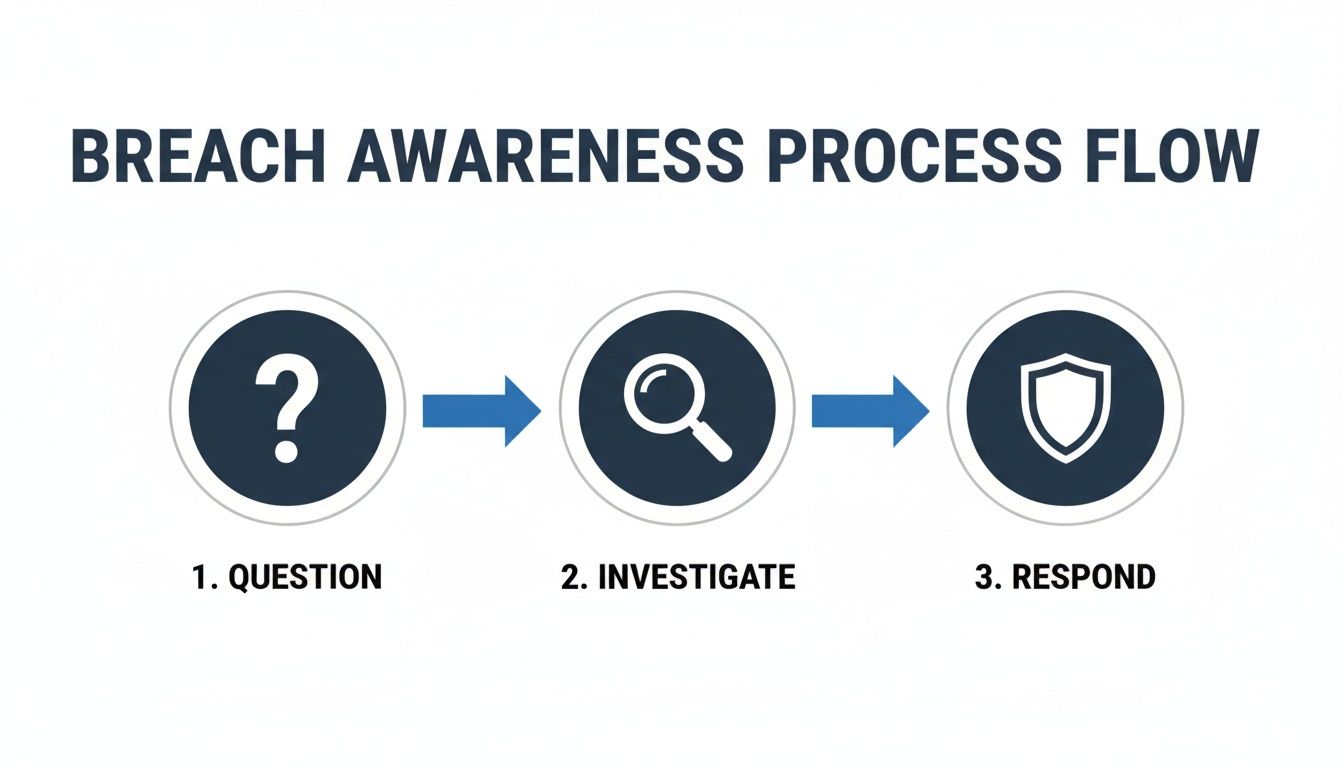
The diagram above lays out the process perfectly. Following a structured approach like this helps prevent the kind of premature actions that only make a bad situation worse.
Isolate, Contain, and Preserve Evidence
Once you have credible evidence that a system is compromised, it is time for containment. The objective is to cut off the affected systems from the rest of the network so the attacker cannot move laterally. How you do this is incredibly important.
Do not simply power off the machine. Shutting down a system wipes its volatile memory (RAM). That memory might contain the only evidence of the attacker’s tools and in-memory activity. This data is priceless for any real forensic analysis.
Instead of pulling the plug, use your network controls to isolate the endpoint. This can be done by:
- Using your EDR solution to quarantine the host, which blocks all network traffic except to your security tools.
- Moving the device onto an isolated VLAN that has no path to the internet or other internal network segments.
- Simply disabling the network adapter on the machine itself.
This effectively takes the compromised system offline while preserving its running state for forensic imaging. Preserving this evidence is not just good practice; it is a critical part of meeting your legal and compliance obligations, like those under Australia’s Notifiable Data Breaches (NDB) scheme.
A well-defined response is guided by strong best practices for incident management, which provide a clear framework for high-pressure situations. For a deeper look at organising your team and response processes, our guide on responding to an incident offers more practical steps.
Uncovering an Attacker’s Footprints in Your Network

Once your initial containment actions are in place, the real hunt begins. This is where you pivot from damage control to a proactive search for the attacker’s trail. An intruder with a foothold in your network will be working methodically to expand their access, and they always leave clues behind.
The question shifts from “have we been breached?” to “how far have they gone?” Attackers rarely sit still. Their next moves almost always involve three core techniques: lateral movement, privilege escalation, and establishing persistence. Understanding these behaviours is the key to uncovering the full scope of an intrusion.
Tracing Lateral Movement and Privilege Escalation
Lateral movement is how an attacker hops from one compromised system to another. Their initial entry point—say, a user’s laptop—is rarely their end goal. They are usually hunting for high-value targets like domain controllers, database servers, or administrator accounts.
At the same time, they will be trying to escalate their privileges. This means exploiting vulnerabilities or misconfigurations to gain more power, like turning a standard user account into a local admin or, even better for them, a domain admin. This gives them the keys to your kingdom.
These activities leave a trail in your logs. To find them, you need to know where to look:
- Security Event Logs: Watch for a spike in failed logins followed by a success. This pattern often points to a brute-force or password-spraying attack where the attacker finally guessed right.
- Process Creation Logs: Keep an eye out for legitimate admin tools being used in strange ways. For instance, tools like PsExec or Windows Management Instrumentation (WMI) being used to run commands on remote machines are classic signs of lateral movement.
- Account Management Events: An alert on a new user account being created or a user being added to a privileged group (like ‘Domain Admins’ or ‘Enterprise Admins’) is a major red flag. Nobody should be added to these groups without a formal, documented change control process.
Analysing Identity and Access Management Logs
In a cloud-first world, your Identity and Access Management (IAM) system, like Azure Active Directory, is a prime target. A compromised identity is one of the most powerful assets an attacker can have, giving them a legitimate-looking presence inside your environment.
Analysing IAM logs demands a sharp eye for things that just do not feel right. Stay vigilant for:
- Impossible Travel: A user logging in from Sydney and then five minutes later from an IP in Eastern Europe is physically impossible. This is a textbook sign of a compromised account.
- Atypical Role Assignments: An attacker might quietly assign a high-privilege role, like Global Administrator in Azure AD, to a compromised account. They often do this just long enough to get what they want before removing the role to cover their tracks.
- Unusual Service Principal Activity: Service principals and managed identities are often overlooked but are prime targets. If a service account suddenly starts accessing data it never has before, that warrants an immediate investigation.
From our incident response cases, we know that paying attention to offboarding accounts is critical, as well as assigning the right access rights to accounts for users that have moved position. These accounts are often forgotten, unmonitored, and provide attackers with a quiet, persistent backdoor.
The Overlooked Threat of Dormant Accounts
Recently offboarded user accounts are a goldmine for attackers. Organisations often focus on disabling the primary login but forget to revoke access to all the associated systems and cloud apps. An attacker with credentials for one of these “ghost” accounts can operate undetected for weeks or months.
Likewise, service accounts used for application integrations can become powerful tools for an adversary. These accounts often have broad permissions and their passwords are changed infrequently, making them stable, long-term access vectors. Scrutinising the activity of these non-human accounts is just as important as monitoring your users.
Staying ahead of attackers means understanding how they operate. You can get more insights by reading our analysis of current cyber security threat intelligence trends affecting Australian organisations. By combining sharp technical log analysis with a strategic understanding of attacker motives, you can effectively trace an intruder’s path and determine the full extent of a breach.
Australian Compliance: Navigating the NDB Scheme After a Breach
Once you’ve confirmed a breach, the clock on your legal and regulatory obligations starts ticking. For any Australian IT or risk leader, navigating the compliance landscape isn’t just an option—it’s a critical part of a successful incident response.
Getting this wrong can quickly escalate a contained technical issue into a major regulatory penalty and a public relations nightmare.
The most important piece of legislation here is the Notifiable Data Breaches (NDB) scheme, which is overseen by the Office of the Australian Information Commissioner (OAIC). This scheme requires organisations covered by the Privacy Act 1988 to notify both the OAIC and affected individuals if they experience an eligible data breach.
What Makes a Breach Notifiable
Not every security hiccup needs to be reported. The NDB scheme has a very specific definition for an ‘eligible data breach’. It’s when there’s been unauthorised access to, or disclosure of, personal information that is likely to result in serious harm to one or more people.
The term ‘serious harm’ is assessed on a case-by-case basis and can mean anything from financial or reputational damage to physical or emotional distress. The key word is likely. You don’t need absolute certainty. If a reasonable person would think serious harm is a probable outcome, the breach is notifiable.
Strict Timelines and Assessment Periods
The NDB scheme demands you move fast. As soon as you even suspect you’ve had an eligible data breach, you have to start a swift and thorough assessment.
You are legally required to take all reasonable steps to wrap up this assessment within 30 calendar days. This isn’t a 30-day grace period to get started; it’s a hard deadline to finish your investigation and decide if you need to notify.
If you determine the breach is eligible, your next move is to prepare a statement for the OAIC and alert the affected individuals “as soon as practicable.” Any delays will be heavily scrutinised.
Connecting Compliance Frameworks to Breach Response
Your obligations don’t stop with the NDB scheme. Proving you adhere to established cybersecurity frameworks is vital for showing due diligence and potentially mitigating regulatory action. Standards like ISO 27001, SOC 2, and the ASD’s Essential Eight are not just badges; they’re your proof of a mature security posture. You can learn more about how these frameworks operate by exploring our guide on the Australian Privacy Principles.
When the OAIC comes knocking, they will look closely at what you did to protect the data before the incident ever happened. Having these frameworks in place demonstrates that you have:
- Systematically identified and assessed risks.
- Implemented appropriate security controls to safeguard information.
- Established clear processes for monitoring and incident response.
A documented and regularly tested Incident Response Plan is absolutely non-negotiable. It proves you were prepared and can seriously influence the outcome of a regulatory review. Without one, your response will almost certainly look disorganised and negligent.
Recent statistics only reinforce the ongoing threat. The OAIC’s NDB scheme logged 532 notifications from January to June 2024 alone. While malicious attacks were the cause of 59% of these, a staggering 37% came down to human error—a stark reminder of how fragile even well-defended systems can be.
A robust, documented plan is your best defence, both for handling audits and for communicating with stakeholders. It gives you the structure and confidence needed to manage the crisis, showing that while the question “have I been hacked?” is terrifying, you had a professional and compliant answer ready to go.
Shifting from Reactive Defence to Proactive Resilience

The steps outlined so far offer a playbook for navigating a crisis. However, the ultimate goal for any mature organisation is to prevent that crisis from happening in the first place. Moving beyond the immediate panic of “have I been hacked?” demands a fundamental shift in mindset—from reactive firefighting to proactive, sustained resilience.
The hard truth is that most Australian organisations discover a compromise only after an external party tells them. This points to a dangerous and widespread gap in internal visibility. Once you’re told about a breach, you have already lost the initiative.
Building Proactive Detection Capabilities
Transitioning away from a reactive posture means building the capability to see threats as they develop, not after they have achieved their objectives. This is where a Managed Detection and Response (MDR) service becomes a critical force multiplier for your internal team.
An MDR service provides the constant, 24/7 monitoring that most internal IT teams simply cannot resource. It combines advanced technology with human expertise to analyse security signals across your entire technology estate, including endpoints, networks, and cloud environments.
In our experience, customers almost always get told about an intrusion rather than noticing it themselves. This isn’t a failure of their team; it’s a resource and specialisation issue. A dedicated MDR team’s sole job is to hunt for the faint signals that your busy IT department might miss.
This proactive monitoring is designed to catch the early stages of an attack. It spots initial reconnaissance, the first instance of lateral movement, or the moment an attacker tries to escalate privileges. By doing so, it allows you to neutralise the threat before it escalates into a notifiable data breach.
The Australian Reality: A Lack of Internal Visibility
The importance of this internal capability cannot be overstated. Recent findings from the Australian Signals Directorate (ASD) paint a stark picture of the current state of cyber defence in the country.
The ASD’s Annual Cyber Threat Report for FY2022-23 reveals a particularly telling statistic. It shows that over a third (37%) of significant cyber incidents were only uncovered because the ASD proactively alerted the victims, highlighting a widespread lack of internal detection capabilities across Australian organisations.
This data underscores a critical dependency on external bodies for threat detection—a model that is inherently reactive and high-risk. Developing a robust internal detection and response function is therefore essential for any organisation wanting to build true cyber resilience.
Integrating Strategic Services for Long-Term Resilience
Beyond real-time threat detection, building lasting resilience involves a multi-faceted approach. It requires integrating several strategic security functions that work together to continuously strengthen your defences over time. This is where you can begin to build a forward-looking and complete cyber security strategy for your organisation.
Key services that contribute to this proactive posture include:
-
vCISO Guidance: A virtual Chief Information Security Officer provides the strategic oversight needed to align your security programme with business objectives, manage risk, and guide long-term security investments without the cost of a full-time executive.
-
Penetration Testing: Regular, objective testing of your systems by ethical hackers identifies vulnerabilities before malicious actors can exploit them. This provides concrete, actionable data to prioritise remediation efforts and validate your security controls.
-
Managed Compliance: Frameworks like IRAP, NIST, and ISO 27001 provide a structured path to a stronger security posture. Managed compliance services help you implement and maintain these standards, ensuring you are not just audit-ready but genuinely secure.
Ultimately, this combination of 24/7 threat detection, strategic leadership, and continuous validation shifts your organisation’s security from a series of point-in-time checks to a state of constant preparedness. It ensures you are not just waiting for the next attack but are actively working to prevent it.
Frequently Asked Questions About Breach Response
When you suspect a cyber incident, clarity is your most valuable asset. For Australian IT and risk leaders, getting straight answers to hard questions can be the difference between a contained event and a full-blown crisis. Here are the most common questions we hear during our incident response work.
Answering these before you’re in the hot seat helps ensure that when someone asks, “have we been breached?”, your team responds with a structured plan, not panic.
How Quickly Must We Notify the OAIC After a Breach?
This is one of the most critical and misunderstood duties for Australian organisations. Under the Notifiable Data Breaches (NDB) scheme, you must notify the Office of the Australian Information Commissioner (OAIC) “as soon as practicable” after you determine an eligible data breach has occurred.
The real pressure comes from the assessment period. Once you suspect a breach might have happened, the law requires you to conduct a “swift and expedient” assessment. You have a maximum of 30 calendar days to complete this assessment and reach a conclusion. That is not a 30-day window to start looking into it; it is a hard deadline.
The 30-day clock starts ticking the moment a reasonable person in your position would have suspected a breach. Delay is not an option. The OAIC expects immediate, diligent action and can view procrastination as a separate compliance failure.
What Is the Biggest Mistake Companies Make During Incident Response?
From our frontline experience, two errors consistently turn a manageable incident into a disaster: moving too slowly and destroying evidence.
Indecision, or delaying the escalation of a suspected incident, hands the advantage to the attacker. It gives them time to dig deeper, steal credentials, and exfiltrate more data. What started on one laptop can quickly become a full-blown network compromise.
Just as damaging is the instinct to “clean up” the mess. A well-meaning IT admin might immediately shut down, wipe, and re-image a compromised machine. This single action destroys all the volatile data in its memory (RAM), which is often the only place you’ll find traces of the attacker’s tools and in-memory malware. Without that evidence, a proper forensic investigation is almost impossible, leaving you blind to how they got in and what they did.
Is It Wise to Pay a Ransomware Demand?
The official guidance from the Australian government and cybersecurity agencies is firm and clear: do not pay the ransom. The pressure to get your systems back online is immense, we get it. But paying the demand introduces massive risks.
First, there is no guarantee you will get a working decryption key. We have seen organisations pay up only to receive nothing, or a faulty tool that corrupts their data anyway.
Paying a ransom also creates other problems:
- It directly funds criminal groups, fuelling the next wave of attacks on other businesses.
- It does not guarantee your data is safe. Attackers almost always steal data before they encrypt it. Paying them will not stop them from leaking or selling it later.
- It paints a target on your back. You become known as a company that pays, making you a prime target for future attacks.
Those funds are much better spent on strong backup and recovery systems and a tested incident response plan. And if a breach exposes sensitive data online, knowing how to remove personal information from the internet becomes a crucial part of your long-term recovery.
How Can We Prove Our Preparedness to the Board?
Demonstrating cyber resilience to the board isn’t about reciting technical specs. It is about presenting a clear, business-focused case for preparedness. Just saying you have security tools is not enough; you need to show tangible proof that you’re ready for an attack.
Here are four pillars to build your argument:
- A Tested Incident Response (IR) Plan: Show them you have a documented IR plan that you test regularly with tabletop exercises. Report back on what you learned and how you improved.
- An Incident Response Retainer: Having an expert IR firm on retainer is a powerful signal. It tells the board you have a plan to get immediate, specialist help in a worst-case scenario.
- Regular Penetration Testing: Present the findings from recent pen tests. This proves you are proactively finding and fixing weaknesses before attackers can exploit them.
- Compliance and Certification: Achieving certifications like ISO 27001, SOC 2, or aligning with the ASD’s Essential Eight gives you independent validation of your security posture. These frameworks speak the language of business risk, which the board understands.
Framing your efforts this way shifts the discussion from a technical cost centre to a strategic investment in business continuity and brand protection.
At CyberPulse, we provide the expert guidance and hands-on support Australian leaders need to move from reactive crisis management to proactive cyber resilience. Our team of specialists offers incident response retainers, penetration testing, and managed compliance services to ensure you are prepared for any threat. Learn more at https://www.cyberpulse.com.au.
Browse to Read Our Most Recent Articles & Blogs
Subscribe for Early Access to Our Latest Articles & Resources
Connect with us on Social Media